Finding Your TI-Nspire™ Product ID

Before purchasing Vincenta

Vincenta licences are linked to the unique Product ID of your TI-Nspire™ CX calculator. You will need this information during checkout.

Finding Your Product ID

Follow these steps on your TI-Nspire™ CX:

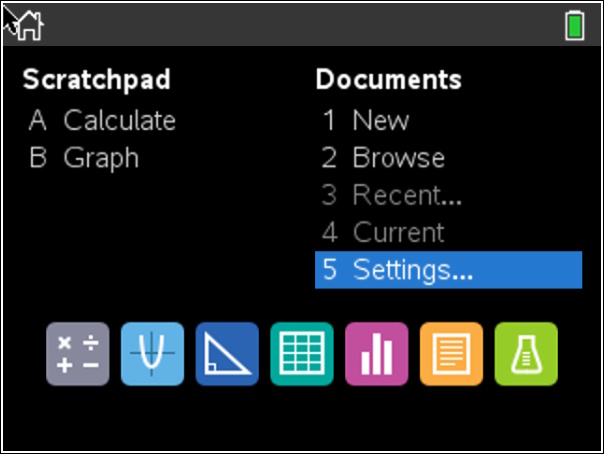
  1. Press the Home key.
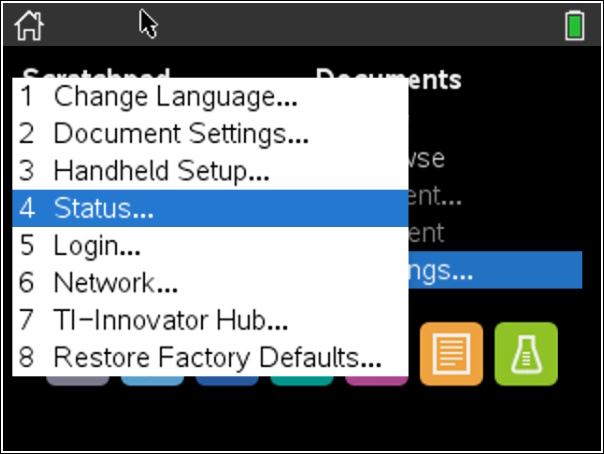
  2. Select 5: Settings & Status (or Settings on some models).
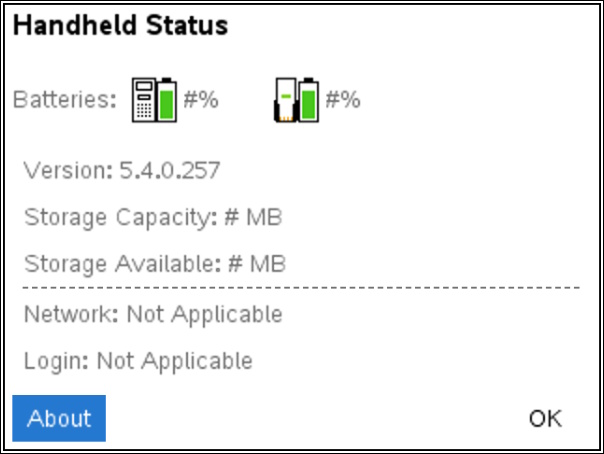
  3. Select 4: Status.
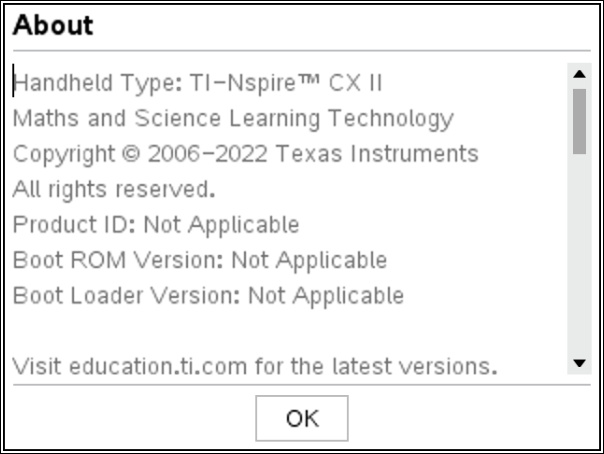
  4. Open the About box.
  5. Your Product ID will be displayed.

Only enter the final 8 hexadecimal characters of the Product ID.

Example:

1008000007206E210 BD92F455
TI-Nspire Home screen
1. Home Screen
TI-Nspire Settings
2. Settings Menu
TI-Nspire Status screen
3. Status Screen
TI-Nspire About screen
4. Product ID

Need Help?

If you cannot locate your Product ID, contact Vincenta support.

Contact Support